

Cloud Foundry Manifest YAML Editor for Atom


This extension provides basic validation, content assist and hover infos for editing Cloud Foundry Manifest Files.
It is recommended to use this extension package when atom-ide-ui atom extension package is installed. Thus, reconciling (error/warning markers) and hover support is fully functional.
Usage
The CF manifest editor automatically activates when the name of the file you are editing is manifest.yml or editor grammar is set to Manifest-YAML
Functionality
Validation
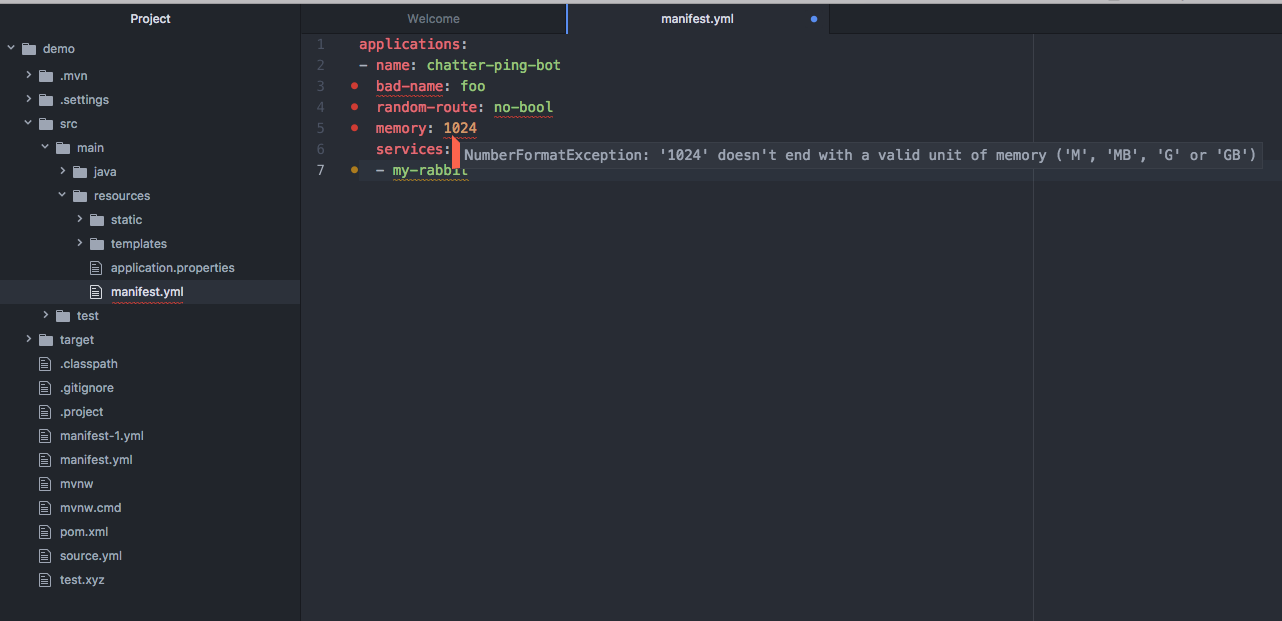
(Requires atom-ide-ui package) As you type the manifest is parsed and checked for basic syntactic and structural correctness. Hover over
an error marker to see an explanation.
Content Assist
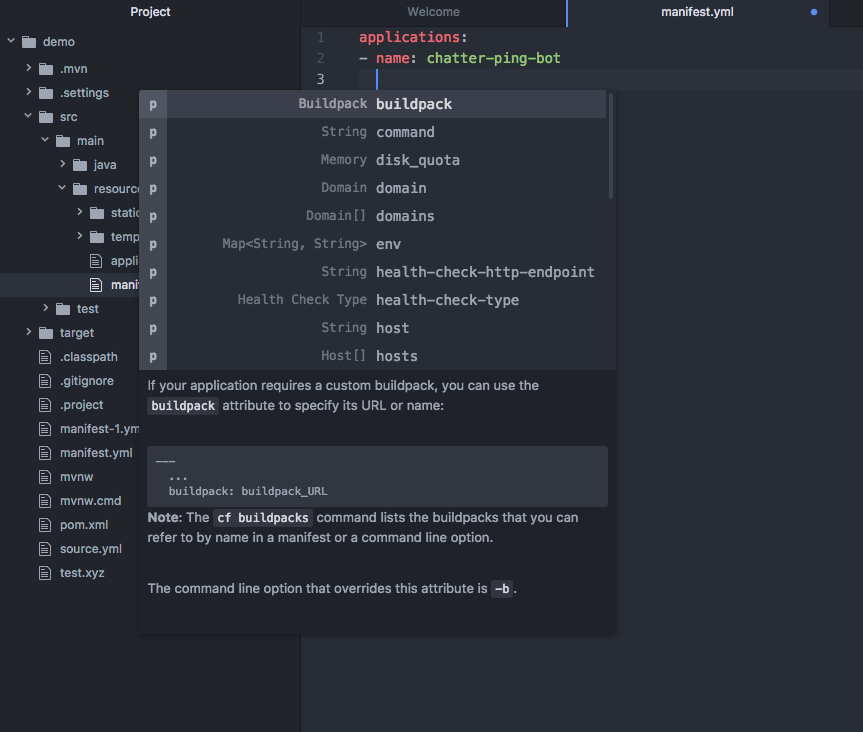
Having trouble remembering all the names of the attributes, and their spelling? Content assist to the rescue:
Dynamic Cloud Foundry Content Assist
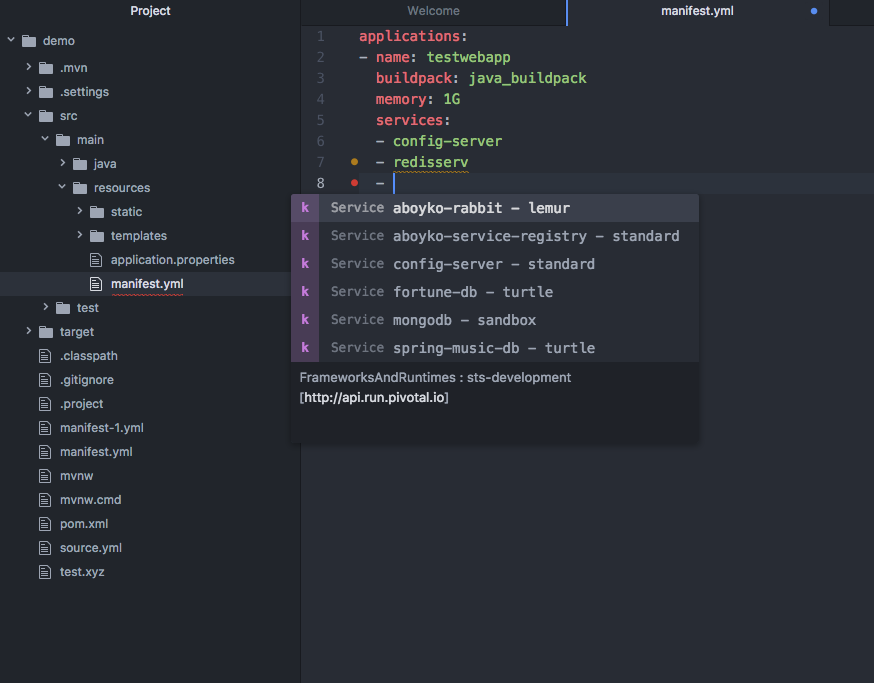
Would you like to see actual Cloud Foundry values for attributes like services, buildpack, domain, and stack? If you have cf CLI installed and connected to a Cloud target, the extension will automatically display values for certain manifest attributes.
For example, if you are connected to a Cloud target that has services, and you invoke content assist in an entry under services, you will see the available service instances. In addition, service instances that do not exist in the Cloud target, like redisserv in the example below, are highlighted with a warning.
Dynamic content assist also shows which Cloud target you are connected to.
Documentation Hovers
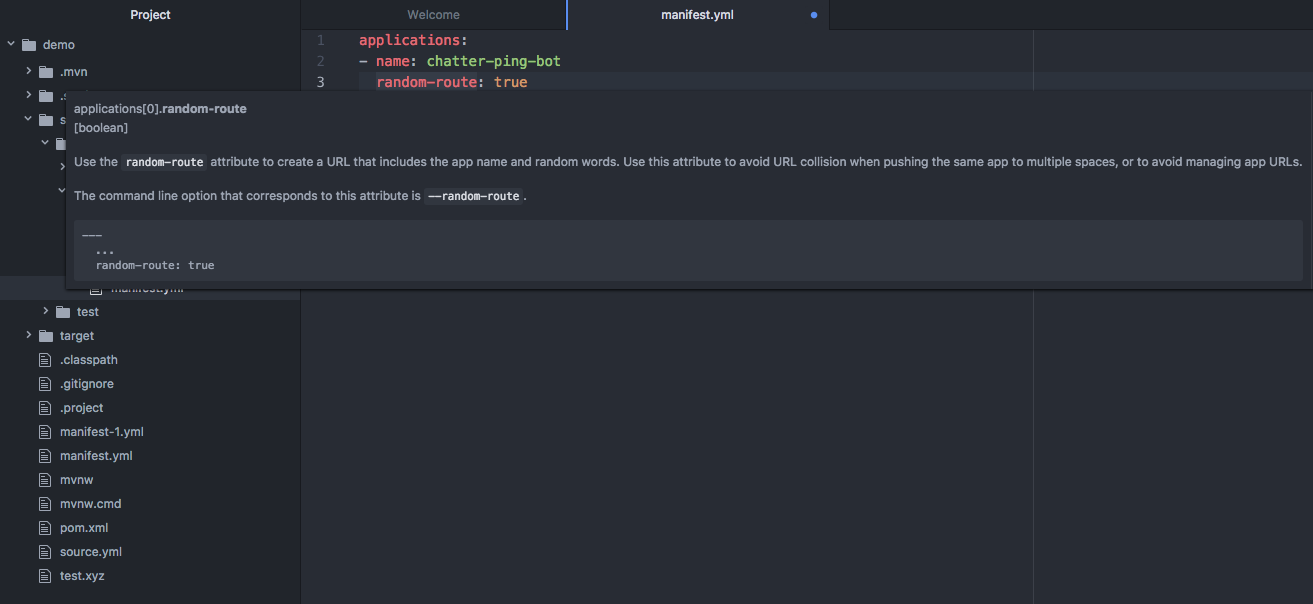
(Requires atom-ide-ui package) Having trouble remembering exactly what the meaning of each attribute is? Hover over any attribute and
read its detailed documentation.
Dev environment setup:
Prerequisite: Node 6.x.x or higher is installed, Atom 1.17 or higher is installed
- Clone the repository
- Run
npm install - Execute
apm link .from the folder above - Perform
Reload Windowin Atom (Cmd-Shift-P opens commands palette, search forreaload, select, pressReturn) - Open any
manifest.ymlfile in Atom observe reconciling, content assist and other IDE features